
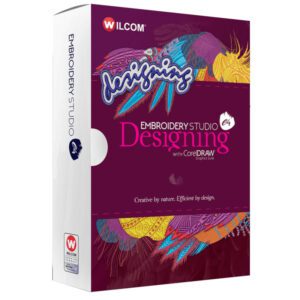
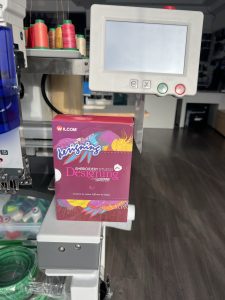
 Perfect software for embroidery and many decorations
EmbroideryStudio e4.5 has a new EmbroideryHub component. With this feature, you can manage all your EmbroideryConnect WiFi devices in one place and get your embroidery started as quickly as possible.
CorelDRAW® Graphics Suite is fully integrated into your embroidery software environment, giving you full control over vector and raster graphics for a variety of decorations, printing, cutting, engraving, and more.
Key Feature:
Advanced Integrated Pattern Library
Search for patterns by name, customer, order, date or keywords in seconds
Patterns are automatically indexed for quick retrieval. No need for manual categorization
Browse patterns from all folders on one screen or folder by folder
Group or sort patterns by customer, order, date, folder, pattern status, stitches and more
Order Feature
Save customer, order and job details in an .EMB pattern file. No special database needed
Records material, quantity, size, colors and approval status
Displays pattern and order details in a high-resolution PDF file for customer approval
New and improved fonts
Choose from over 200 professionally digitized embroidery fonts or instantly convert any TrueType or OpenType font to an embroidery font. Set individual letters to customize your client’s logo and increase production.
Adjust font alignment, letter spacing. Built-in intelligence remembers changes for future use.
25 NEW embroidery fonts, including 3D, logo fonts and special fonts
NEW predefined shape envelopes “Art Font”
Easier selection of embroidery font by type and style
Expanded options and easier use of team name features
Improved automatic stitching quality of TrueType / OpenType fonts
Faster digitizing for professionals and beginners
New graphic creation tools for easier digitizing
Create embroidery outlines and fills using the same shaping tools
Convert outlines and fills in one click with the new stitch type bar
Add and remove holes and angles after stitches
Create drawing objects as vector outlines or fills
Faster control and handling of processes for large projects
Customize the style of traditional authoring tools
Improved offset duplication
Improved bookmark removal
Improved automatic digitizing
New automatic embroidery from bitmap images with one click clicks
Improved interactive dialog for automatic embroidery
Improved sewing of satin and fill stitches, better optimized for logo creation
Support for full-color bitmap images with transparency (24 and 32 bit)
Optional cropping/masking of bitmap images
Optional adjustment of bitmap images before stitching
Creating a natural arc of satin stitches
Improved segment and overlap accuracy
Improved monograms
69 professionally pre-defined monogram patterns, ability to create your own
Expanded user interface for monograms
Separate panels for patterns, fonts, ornaments and cropping
Advanced sewing parameters are hidden until you really need them
Use embroidery or TrueType fonts
New creative and technical stitches
Outlines with quilt stitch, raised satin, square stitch
Fills with raised satin, stitch square, double square stitch
Predefined fill motifs are now standard
Radial stitch effect
Double tatami lining
Adjustable corner tabs
Improved automatic applications
New method for sewing satin stitch
Trapunto effect is now standard
Enhanced straight stitch for quilting
7 additional Elements packages now STANDARD
Virtual Decoration – Create high-resolution TrueView embroidery images for digital printing
Vector Drawing – Create and edit vector graphics directly in Wilcom patterns
Rhinestone – Create patterns using rhinestones
Automatic embroidery from bitmap – convert images to embroidery with one click. Kiosk Mode – Easily customize templates for stores
Auto Shape – Automatically weld, merge, or overlay embroideries and graphic objects
Freehand – Integrated freehand drawing of stitch and fill outlines and other selected details from other elements
New Lacing Effect
Display lacing stitches with or without thick lines
Adds commands to start and stop saving stitch data
Hand Stitch Effect – New in e4.5
The Hand Stitch Effect is a new creative effect
Simulates the natural look of hand embroidery
Adjustable stitch length, distance, and angle
Can be overlaid on your favorite stitch types
The latest CorelDRAW® Graphics Suite 2017
Included in all new e4.5 systems
Open .CDR graphic files directly from the Wilcom pattern library
Introducing EmbroideryHub
EmbroideryStudio e4.5 includes a new component EmbroideryHub
Manage all your EmbroideryConnect WiFi devices in one place
EmbroideryHub is included for free with EmbroideryStudio e4.5.
The latest CorelDRAW® Graphics Suite 2017
Included with new e4.5 systems
Optional upgrade from version 8.1

The latest CorelDRAW® Graphics Suite 2017
Included with new e4.5 systems
Optional upgrade from version 8.1 available for EmbroideryStudio e4.5 customers
Open CorelDRAW .CDR graphic files directly from the EmbroideryStudio Design Library.
Minimum requirements
Processor – Intel® Core i3 or AMD Athlon™ 64
Operating system – Windows 7 32-bit
Internet browser – Microsoft Edge or IE11.0
RAM – 4 GB
Free disk space – 40 GB
Graphics card – supporting a resolution of at least 1600 x 900 pixels
USB ports – 2 two free for installation (3 for updates)
Sound card – required to play instructional videos
Internet connection – required for updates and product registration
Recommended hardware requirements:
Processor – Intel® Core i7
Operating system – Windows 10 64-bit
Internet browser – Microsoft Edge
RAM – 8 GB
Hard drive type – 256 GB SSD
Graphics card – supporting a resolution of at least 1920 x 1080 pixels
USB ports – 2 two free for installation (3 for updates)
Sound Card – Required to play tutorial videos
Internet Connection – Required for updates and product registration
External Hard Drive or Cloud for Backups